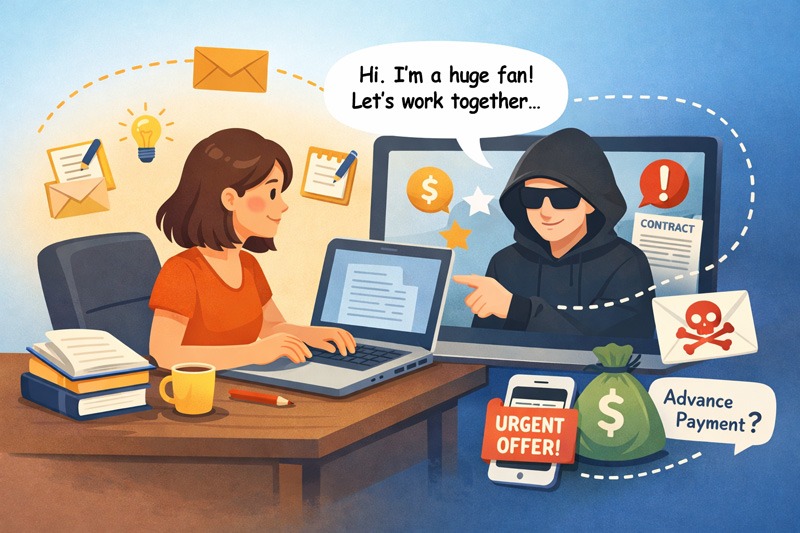
Daily Digest: Authors, Beware of “Warm” Outreach Scams
They called the widow to get the ‘inside scoop’ before emailing the publisher. They thought they were being personal—the source code proved they were predatory. ~
At first, it feels like an answer to a dream. Everyone wants recognition for their achievements: request for interviews, literary agent representation or even (gasp!) a movie deal. It’s a dream come true. Your heart skips a beat. You’re excited, giddy. Then, you dig into the bones of the email and your heart deflates. Another Outreach Scam.
Recently, I received a condolences email that looked surprisingly personal. It felt like a “warm” professional inquiry—but it was actually a textbook marketing scam.
Anatomy of the Hook
Scammers monitor obituaries and new releases to find their targets. They use social engineering to gather personal info to lower your guard before moving in for the pitch (sale.)
In this case, they targeted the widow of an author.
“I was contacted tonight by a fan of [my husband] who wanted to talk to someone about one of his books she particularly liked. I gave her your contact information. She seems genuine. Hope she is.”
The scammers immediately sent out an email to me that also appeared legit — until I looked under the hood. Despite the widow providing my official First Steps Publishing email, their message remained vague and impersonal.
Be Hopefully Suspicious
The contact may be legit, but it’s best to side with caution. Ask yourself:
- Do you recognize the sender’s name?
- Does the sender’s email “match” their claimed company?
- Does the email contain specific details about who they are and their intent?
- If they are legitimate, they would provide details to prove they aren’t just a bot.
You Engaged. Now What?
Once you engage with a scammer you’ve entered the “Vulture Cycle.” They have your phone number and/or email and will continue their efforts to reel you in. Don’t engage any further. Instead block the phone number / email and get on with your life.
The No-Engagement Script
If you or family members receive similar targeting, use this “no-engagement” script. The goal is to provide zero details—not even a name.
“I’m sorry, I don’t handle any of that. You’ll have to go through the official publisher website for any inquiries regarding rights or marketing. Thanks anyway.”
Then: HANG UP and BLOCK the number.
Why “No Details” is the Best Defense. By refusing to provide names, emails, or a “confirming” detail, you are:
-
Closing the Loop: Force them to find the “front door” on their own.
-
Stopping the “Vulture Cycle:” Scammers tag “polite and helpful” people for future, more sophisticated hits.
-
Protecting the Gatekeeper: By not providing a name or a direct extension, scammers can’t “name-drop” to get past a professional assistant.
How to Spot the “Flags” in the Source Code
If an email feels “off,” right-click (or select “View Original”) to see the headers. Here is what to look for:
-
The “Misspelled” Address: Check the actual email address against the sender’s name. Scammers often use a generic Gmail with a slight misspelling (like three “lll”s instead of two). Professional agents use corporate domains.
-
The Tracking ID: Look for “Mailtrack” or “trace” in the code. This means the sender is mass-tracking thousands of emails to see who is “active.”
-
The Global Discrepancy: Look for the time zone code in the source code (e.g., +0100). If a “local” agent is emailing you from 6–12 hours away, this isn’t a boutique scout; it is more than likely an international call center or an automated bot designed to scrape data.
-
The “Context” Hook: They may mention a book title or a subtitle (which is easy to scrape from Amazon), but they often miss the relationship details. In this case, they didn’t acknowledge the publisher’s name, nor address me by their full name.
How to View the Source Code
The source code looks like a wall of gibberish at first. Don’t let that intimidate you! Just use Ctrl+F (or Cmd+F) to search for keywords like ‘gmail’, ‘trace’, or ‘timezone’ to find the red flags.
-
Outlook (Desktop/Mac): Double-click the email to open it in its own window. Go to File > Properties or look for the “Message Headers” box.
-
Gmail (Web): Open the email, click the three vertical dots (More) next to the Reply button, and select “Show original.”
-
Apple Mail (Mac): Select the email and go to View > Message > Raw Source (Keyboard shortcut:
Option + Command + U). -
Outlook.com / Hotmail: Click the three dots in the top right of the message > View > View message source.
-
Yahoo Mail: Click the three dots (More) above the message and select “View raw message.”
The Bottom Line
Beware of Vultures in the inbox (or phone). Don’t engage. If you reply or “Download Images” in your email, you’re letting the sender know your email is live. Instead, mark it as Junk, block the sender, and move on.
Who Knows? Someday the call/email might be real — and now you know how to uncover the truth.
image by ChatGPT